

FRITZ!OS 7 - it's better WiFi thanks to MESH and 77 new features
FRITZ operating system!OS version 7 brings more than 77 new features and improvements to Wi-Fi, mesh topology, Smart Home, telephony and Internet access. Users can now enable additional FRITZ routers!Box in your networks wifi mesh via WiFi, telephony and Smart Home interfaces, extending wireless coverage to all corners of the house. The upgrade offers higher speeds, greater range and improved WiFi security, making a home network built around a FRITZ router! is even more convenient. It is also possible to install Smart Home devices from other manufacturers, as long as they are compatible with FRITZ!Box. Also new are FRITZ open hotspots!, myFRITZ regular email reports!, improved FRITZ performance!NAS and enhanced convenience with FRITZ!Fon. New version of FRITZ!OS is now available for download for FRITZ router!Box 7590 and will gradually be made available for other FRITZ products!. AVM always recommends upgrading to the latest version of FRITZ!OS to ensure the highest security and stability, as well as enable users to make the most of their home networks. More information can be found at en.avm.de/fritzos
FRITZ!OS 7: a new level for FRITZ devices!, with mesh networking support and new features for telephony and smart home smart home
FRITZ Router!Box provides users with high-speed Internet access and innovative mesh topology networking features in a single device. This approach saves energy and space, and prepares you for technology developments with regular software updates, such as the new FRITZ!OS 7. All FRITZ products! enable the creation of a high-speed WiFi network in a mesh topology, which can be further expanded if necessary. FRITZ!Starting with this basic feature, OS 7 offers a whole host of improvements and innovations in the following areas:
1. Enhanced WiFi performance
FRITZ!OS 7 supports 11v and 11k wireless LAN for bandwidth control (Idle Steering), which means modern WiFi devices such as smartphones can change frequency bands faster - including for already established connections. In addition, a graphical view of the mesh network in the FRITZ user interface!Box now includes information about the connection quality of wireless phones. Updates for all FRITZ products are also displayed here!. If automatic updates are enabled, FRITZ products!WLAN Repeater and FRITZ!Powerline will be automatically updated to support mesh networks.
2. Greater convenience and speed of WiFi
New "Zero Wait DFS" feature significantly reduces waiting time in the 5 GHz band, ensuring seamless connectivity. With the new update, AVM is expanding the possible bandwidth for radio channels from 80 to 160 MHz for 4x4 WiFi-enabled routers such as the FRITZ!Box 7590. As a result, the latest WiFi devices, such as notebooks, can achieve even higher data rates. Higher data rates are also noticeable for WiFi devices with 2x2 antennas.
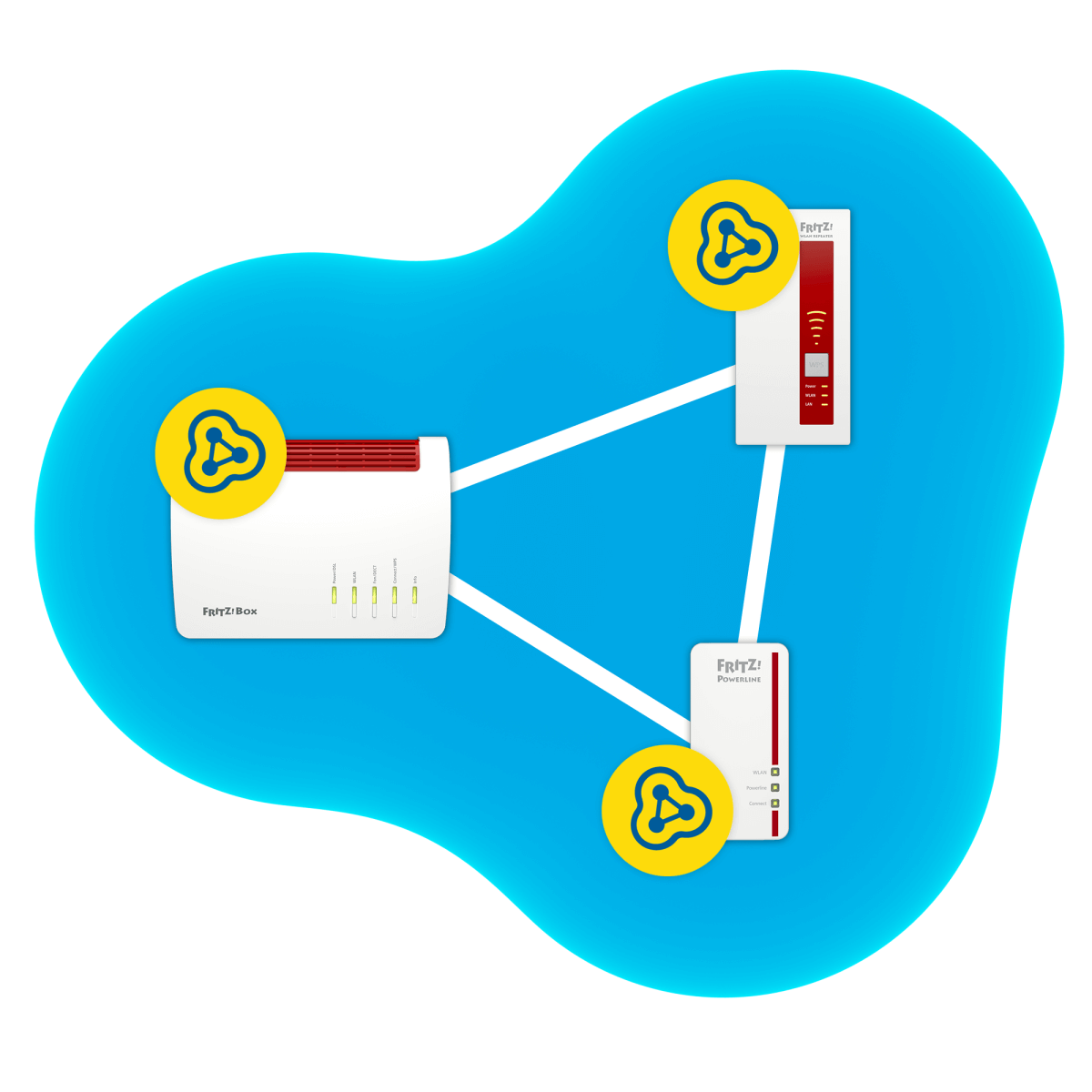
3. Mesh networking - reactivation: updating the features of the FRITZ router!Box for Wi-Fi, telephony and Smart Home
Thanks to FRITZ!OS 7, additional FRITZ routers!Boxes can now be used as signal boosters. In addition to the FRITZ amplifiers!WLAN Repeater and FRITZ devices!Powerline, numerous FRITZ routers!Boxes can now be integrated into a mesh network. Users can extend the range of a wireless network in a mesh topology at the touch of a button. Noteworthy is the fact that now, for the first time, via additional FRITZ devices!Boxes, handsets and Smart Home terminals get mesh network compatibility. All telephone functions of the main FRITZ device!Box are available in every FRITZ router!Box, which has been integrated into the mesh network as a repeater, and this also applies to DECT phones registered to individual FRITZ devices!Box. FRITZ Smart Home Products! also benefit from connected FRITZ routers!Box (operating in mesh network signal booster mode), as more Smart Home terminals using DECT networks can now be accessed and harnessed for work (Smart Home Mesh). Users can now manage WiFi and telephony settings with mesh functionality in a special "Mesh" menu of the central FRITZ device! Box.
4. Guest FRITZ! Hotspot
New version of FRITZ!OS makes it even easier to configure the FRITZ access point! Hotspot and the use of it. Users can now even more easily select access settings for FRITZ! Hotspot: casual users can connect to a separate network for guests, both with and without a password. When choosing an open access point, visitors do not need to enter a security key. Cafes, doctors' offices and small businesses, as well as all other FRITZ users!Box, they can provide their customers and visitors with easy-to-use Internet access. Whether a WiFi network is offered in a private or public environment, a separate wireless network, provided by the FRITZ router!Box, allows guests to use the Internet without access to the home network.
5. DECT HAN FUN support - even more Smart Home devices
In the new software version, AVM expands support for the HAN FUN (Home Area Network FUNctional) protocol, as well as the DECT ULE wireless standard. In addition to FRITZ products!DECT, third-party devices that support HAN FUN can already work directly with the FRITZ router!Box. These include, for example, HAN-FUN-compatible wall switches, door and window sensors, and motion detectors. FRITZ Router!Box together with FRITZ manageable outlets!DECT 200/210, can be used in many different situations. For example, you can set a smart plug FRITZ! DECT to turn on light when motion sensor is activated. Such a capability greatly expands the range of functions and applications that can be managed with the FRITZ Router!Box, which means that any apartment can easily become a smart home Smart Home.
6. Even easier and more convenient Smart Home setup
New to FRITZ!OS 7 is able to set Smart Home templates. They can be used to configure and manage multiple devices and to program many different operating scenarios. For example, users who have flexible working hours or those whose schedules change from week to week can configure Smart Home templates and switch between them at the touch of a button. It is also easy to configure templates for other occasions, for example, if a public vacation falls in the middle of the week or a vacation date is flexible. In addition to being quick and easy to set up in the FRITZ user interface!Box, users can also use the templates through the FRITZ camera!Fon.
7. MyFRITZ!: new reports and more information about your home network
Many FRITZ owners!Box uses MyFRITZ service! (myfritz.net) to easily access FRITZ services!Box, such as answering machines, call lists, FRITZ!NAS and Smart Home features. In the new version of the FRITZ!OS, activation of MyFRITZ service! is easier than ever before. In addition, the new version of FRITZ!OS 7 resolves browser warnings when remotely accessing FRITZ device!Box. New FRITZ software!OS enables the FRITZ! Box getting an SSL certificate for your address on MyFRITZ! from letsencrypt organization.org. Users can now also receive MyFRITZ reports! email reports . They can receive a weekly or monthly report with information on the status of their FRITZ devices! and available updates.
8. Lots of new features for FRITZ!Fon
FRITZ users!Fon can now add up to five ringtones. In addition, FRITZ! OS 7 allows you to upgrade your FRITZ router! Box directly from the FRITZ!Fon. You can also use your phone to activate wireless access for guests and Smart Home devices; you can also set a PIN code if required. A new time-based call forwarding control feature means users have even more configuration flexibility when activating and setting call forwarding schedules. With these features, users can still be reached at their landline numbers, even when they are away from home. The feature of listening to podcasts with FRITZ has also been updated!Fon, making forward and backward scrolling even easier.
9. Enhanced FRITZ performance!NAS
When using a USB drive or flash drive with NTFS file system, connected to the FRITZ device!Box, FRITZ! OS 7 allows you to increase the data transfer speed of the FRITZ network storage!NAS. Web interface of the FRITZ service! NAS (http://fritz.us) has been redesigned and optimized for various devices.
10. FRITZ!OS - even easier installation, even for mobile devices
Users, adding a new FRITZ router!Box to their network, they no longer need to manually log their AVM DECT devices, such as phones or radiator controls. With the improved and expanded registration mode, all known DECT devices will be registered with the new FRITZ!Box after user imported settings. This can be done in the user interface of the FRITZ!Box and you only need to do it once.
