

Fiber optic internet works too slowly? Learn about possible causes.
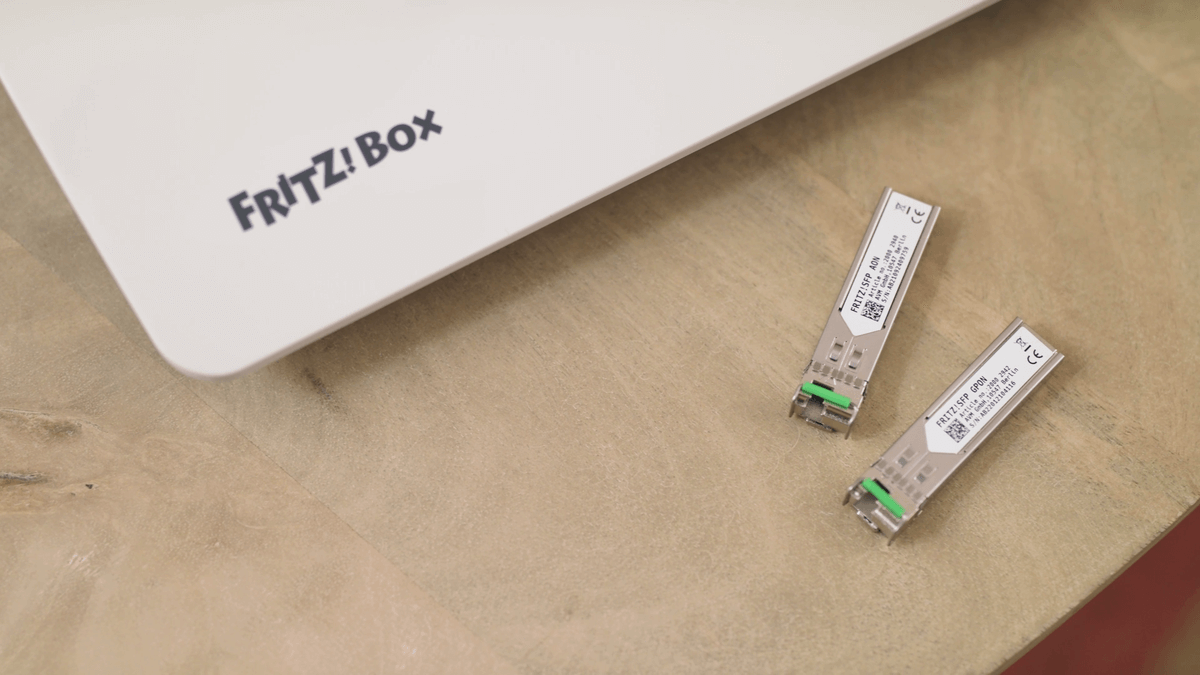
The question of why the Internet is slow cannot be answered unequivocally. Computer networks (and therefore both our home Wi-Fi and the Internet) are very complex environments that we can imagine as the streets of a big city on which cars drive (data packets). What good is sitting behind the wheel of a Ferrari if the road you are driving on is narrow and bumpy?
Why the Internet is slow to go
We must realize that the path of a data packet (which is a fragment of, for example, an image on a Web page) can be long and pass through a variety of network segments. In simple terms, it can look like this: from the disk of the web server in the data center, through the internal network of the hosting provider (local roads), it reaches the edge router and falls into the municipal broadband network or immediately into the wide area network (highway), connecting countries and cities. After quickly traversing this section of the route, it reaches our ISP's edge router, its internal network (again, local roads) goes to the PBX that serves our home connection (estate road) and goes to the FRITZ router! in our premises. From the router, via Wi-Fi or an Ethernet cable, it finally reaches the computer and is processed. It's easy to imagine that at any stage of its journey, the package may encounter traffic jams, collisions, detours, and sometimes even get lost along the way and have to be reshipped. It goes without saying that - as a computer user at home - we have little influence on the state of the network outside its borders. If we think that Internet is slow going, we should take care to optimize data transfer on our network. We need to start our investigation with our computer, because the sources of trouble may be several.
Wifi problem
Slow transfer in a wireless network is not easy to diagnose due to the nature of the radio medium, which can be capricious (radio wave propagation is even dependent on weather and solar wind). However, the wifi problem can also have a very mundane cause: by increasing the speed of the connection from the provider, we forgot that our router is already several years old, and - as far as wiFi routers at the time offered a reserve of bandwidth - now they don't allow you to take full advantage of the possibilities. E.g. if you have a 1 Gbit/s fiber link, and the router's Wi-Fi is 802.11n (Wi-Fi 4), which reaches a maximum of 600 Mbit/s, this is where the system bottleneck lies.
Free internet over wifi can be caused, for example, by a problem with the network card. The opposite of what we just described, even if we have the latest router with WiFi 6, but an old Wi-Fi 4 card in the laptop, we can't expect a significant speedup.
With fully compatible devices, the problem could also be an outdated driver and misaligned radio band parameters (2.4 GHz instead of 5 GHz). However, most often slow Internet radio, sometimes caused by poor coverage and/or interference, such as from other networks nearby. In this case, they will help wiFi signal boosters or other location of the router.
Fiber optic router
Why the Internet is slow to go? One of the reasons, in addition to those described so far, may be the router itself and its insufficient computing power. We have to realize that processing the information, flowing through the router at a speed of, say, 1 Gbit/s, requires quite a processor and memory - exactly like in any computer. Manufacturers rarely include in the technical data the type of processor on which the device is built and/or the performance, for example, in flops (unit of computing power). Adequate speed to fiber router can be known by external and internal interfaces. For example, most FRITZ routers!The box has a 1Gbit/s Ethernet WAN port, with a separate, dedicated port on some models (such as on the FRITZ!Box 4040, 4060 or 7590 or 6890 LTE), and sometimes one LAN 1 port can be turned into a WAN by software (e.g. FRITZ!Box 7530 AX). As a general rule, it should be assumed that a fiber router should have Ethernet interfaces with min. 1Gbit/s. For example, the aforementioned FRITZ!The Box 4060 has a WAN port with a bandwidth of 2.5 Gbit/s, which proves conclusively that it is designed to handle really fast connections.
How to connect fiber to your router
We have described in detail how to connect the fiber optic cable directly to the router in this entry, on the example of FRITZ!Box 5590 and the selected ISP, but in other hardware-service combinations, the procedure will look similar.
However, it is important to know that some network bottlenecks may be right in front of our router, on the provider's infrastructure side. As strange as it may sound, such bottlenecks are sometimes designed deliberately and not out of malice or ignorance on the part of the supplier, but are the result of a calculation of the actual use of the infrastructure, which is almost always selected with an underestimate.
The physical capacity of the fiber used to provide universal Internet services by providers is 2.5 Gbit/s downstream and 1.25 Gbit/s upstream. This can be clearly seen in the FRITZ configurator!Box in the Internet>Fiber Optic Information menu:
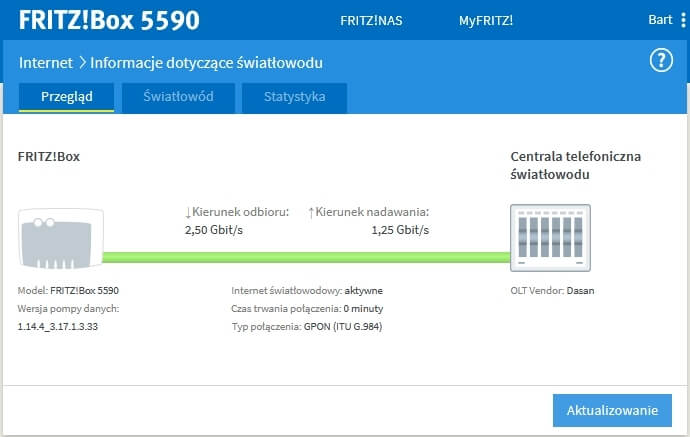
If we were the only subscriber using this fiber between our router (ONT) and the operator's headquarters (OLT), we could get this speed. In practice, however, it is extremely rare that a dedicated fiber-optic cable is run to each subscriber from the PBX. Normally, a single fiber is fed, for example, to some part of a housing estate or to a block of flats, and there it is branched using splitters into up to 64 lines.
It is easy to calculate that in the worst case scenario, if all subscribers downloaded a file from the Internet at the same time, each subscriber (regardless of the bandwidth defined in the contract) would get a maximum of approx. 40 Mbit/s (2500 / 64 = 39). In reality, such black scenarios almost don't happen, plus even if everyone were watching the latest episode of a popular series on a streaming service, 40 Mbit/s would be successfully enough to stream 4K with surround sound.
Designing for under-delivery is therefore not some kind of fraud on the part of the operator, but a way to reduce network development costs, so that installation fees, for example, can be nominal. We must also be aware that before the number defining the speed of our connection in the contract there is always a preposition "to", which means that we cannot demand maximum speed from our operator at any time. In practice, however, it is not uncommon for fiber optic links to achieve maximum performance:
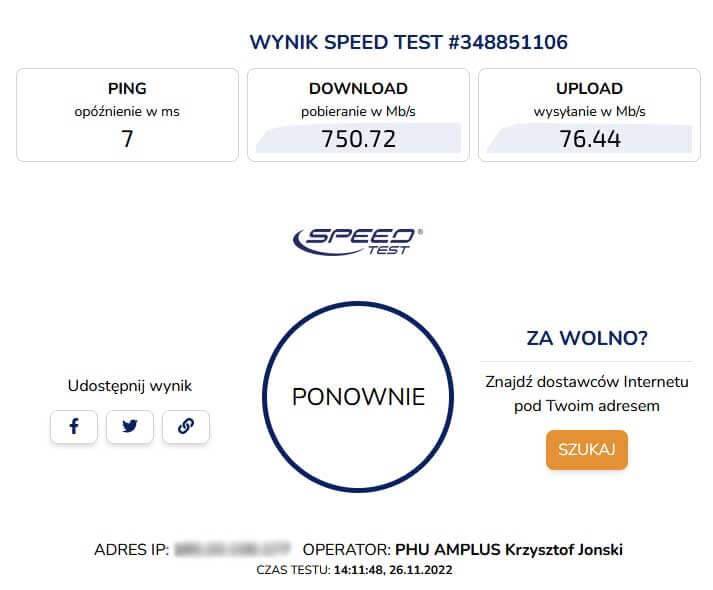
Actual test of a link with a nominal bandwidth of 750/75 Mbit/s.
