

Internet for children
The Internet is an endless source of knowledge and all sorts of information about the world. It makes learning easier and more attractive, but it also carries serious risks. On the web, you can come across phishing sites, installing viruses, or presenting inappropriate content. The best safeguard is always reason and criticism, but we learn them with age. But how to keep our children and teenagers from being exposed to dangerous content? In addition to clear rules for using the Internet, talking and sensitizing people to the risks, we can also turn to technical means. FRITZ routers! offer in this regard quite a substantial arsenal of measures under the common name of "parental control". Let's look at an example configuration of these mechanisms.
Safe Internet for children
Parental controls allow you to ensure the safety of children on the Internet on two basic levels (other security options have been described in more detail in previous posts, most notably here): protection against excessive, uncontrolled use of the Internet and protection against entering dangerous and undesirable sites. All functions, related to parental control are set in the user interface of the router: Internet > Filters
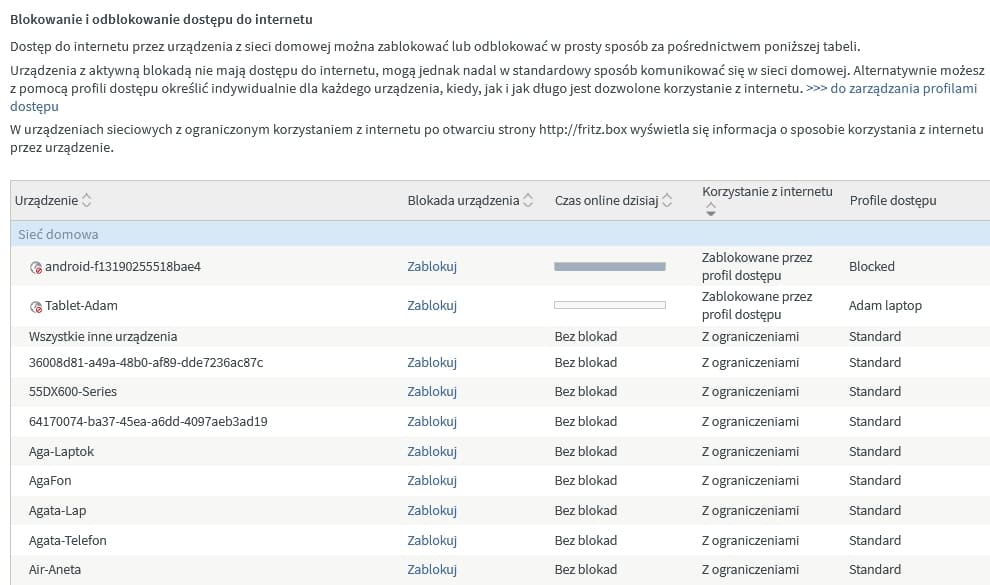
From this level (the "Parental Control" tab opens by default), we can see the status of individual users / profiles, the extent to which the allocated limit has been used, or not, and we can block access on an ad hoc, manual basis.
What's too much is unhealthy
Children usually do not know moderation in play and it is difficult to demand from them the reasonableness characteristic of adults. In addition to explaining the dangers of unproductive web surfing, we can apply a technical "fuse" in the form of a limit on the amount of time spent on the "net". To do this, we need to create the appropriate settings profile. We can assign this profile to a single user (device) or an entire group. To do this, click on the "Access Profiles" tab
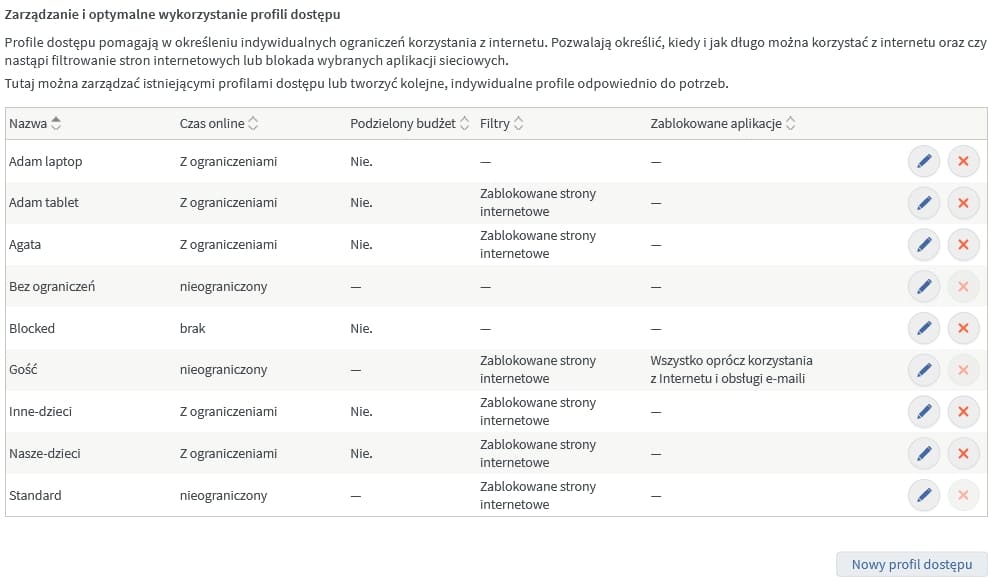
By clicking on the edit profile icon (or the "New access profile" button), we can set a number of options, regulating how we use the Internet.
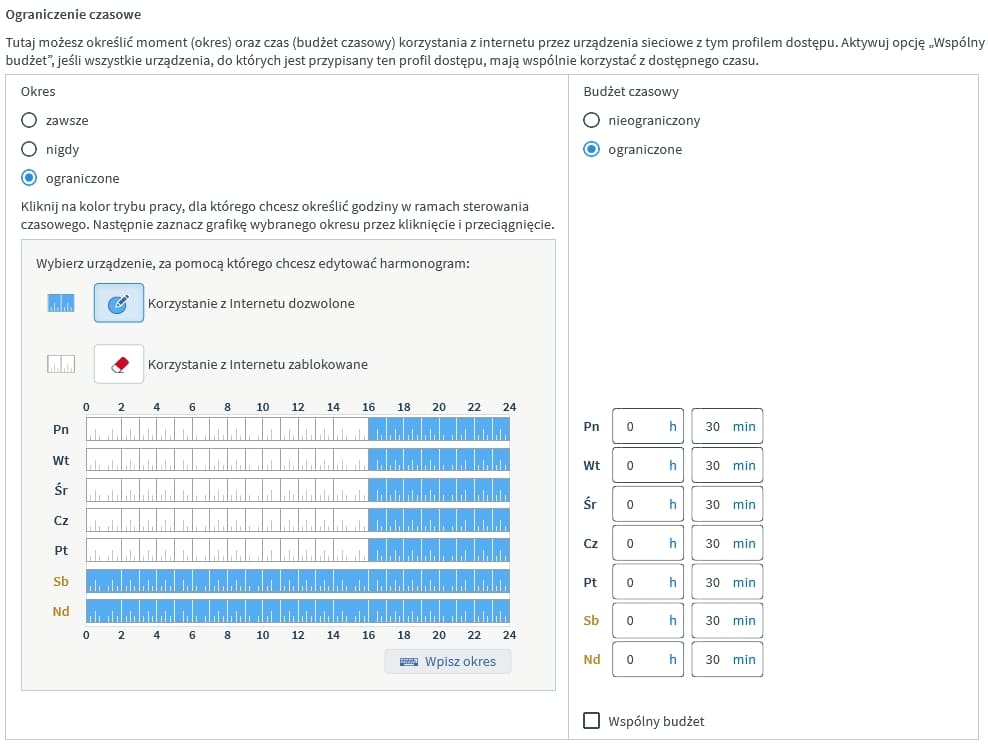
First of all, using the checkboxes "always", "never" and "limited", we decide globally whether and how devices associated with the profile will access the Internet. Having selected the "limited" option, we gain access to a graphical weekly schedule of web surfing. Here by clicking on the schedule of each day of the week, with an accuracy of 15 minutes. decide at what time the Internet will be available to users assigned to the profile. What's more, by selecting the "limited" field in the "Time Budget" box on the right, we can decide how much time a given user has to use within a predetermined hourly framework. With this configuration, we can ensure that our children do not surf the Internet for too long, but also use their allotted time at reasonable hours. However, in order to be able to respond efficiently to the ad hoc needs of our charges, for example, when the limit is exhausted, the router system provides for the possibility of increasing it on an ad hoc basis through one-time tickets, extending the possibility of using the Internet for 45 minutes.
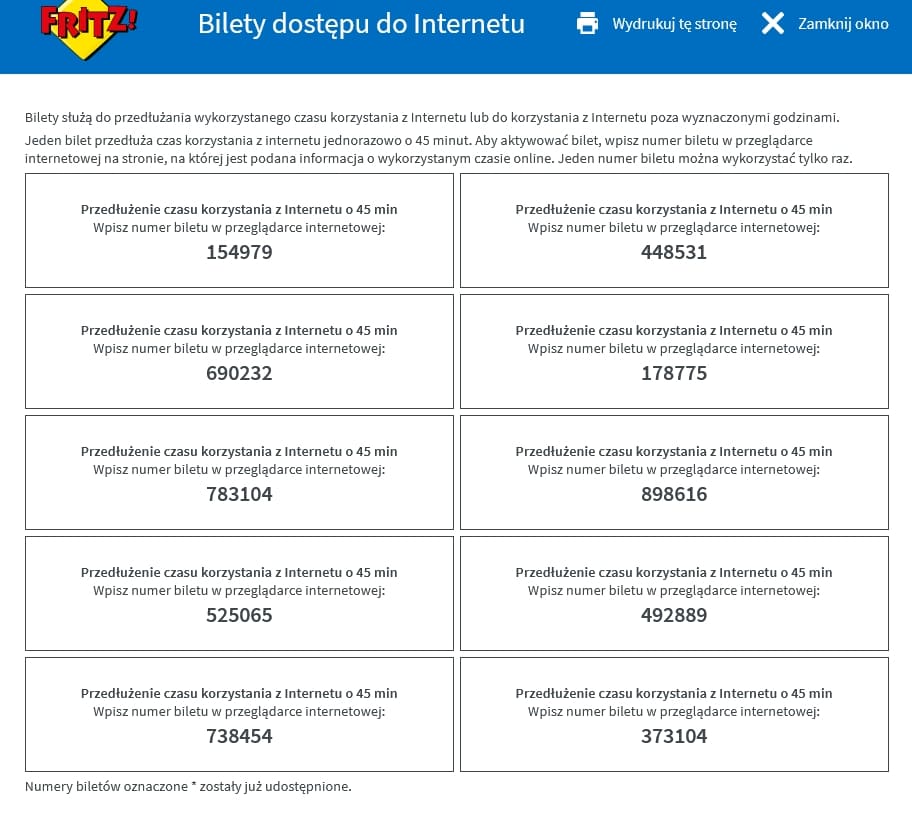
Tickets can be printed and distributed to users in the form of classic cards or shared via electronic media using the "Share Ticket" button. Watch out for smartasses! Children can be extremely creative and adept at circumventing security features. So to prevent them from bypassing the restrictions by logging into guest Wi-Fi, be sure to check the appropriate option in the profile configuration:

Protection against unwanted websites and applications
Internet safety for children is not only about taking care of the "how much and when" aspects, but also about the content our wards have access to. Children are exposed to various risks not only because of their natural curiosity about the world, but also by intrusive advertising of undesirable content. We can defend against these dangers with the FRITZ router's built-in! web filter and by blocking the operation of certain network applications. The corresponding option is activated on the profile configuration tab under "Parental Controls".
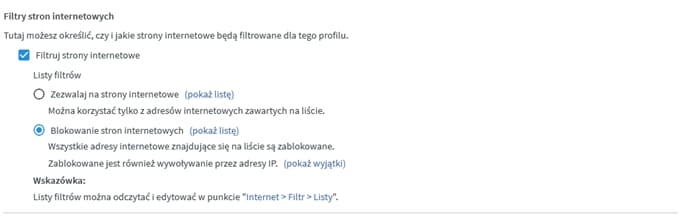 The router allows us to implement two types of protection: blocking specific sites or allowing only specific addresses. The first approach requires the parent to constantly update the list based on emerging threats (registries of unsafe sites can be found online at the sites of various foundations and government agencies).
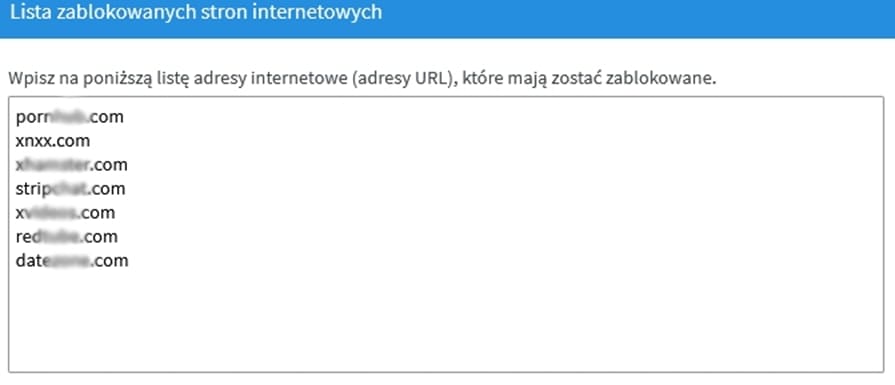 Watch out for smartasses! For extra protection, it's a good idea to check what IP address a particular blocked service leads to, which can be done using the "Allowed IP addresses" list. This list can be modified if the system is overzealous. The second option, on the other hand, is a real weapon of mass destruction, as it allows the child to open only those sites that are "whitelisted.".
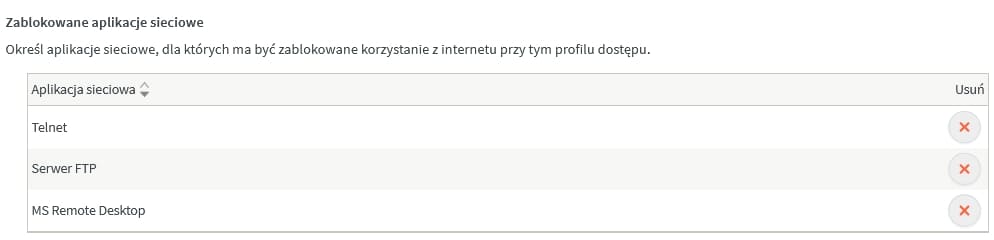
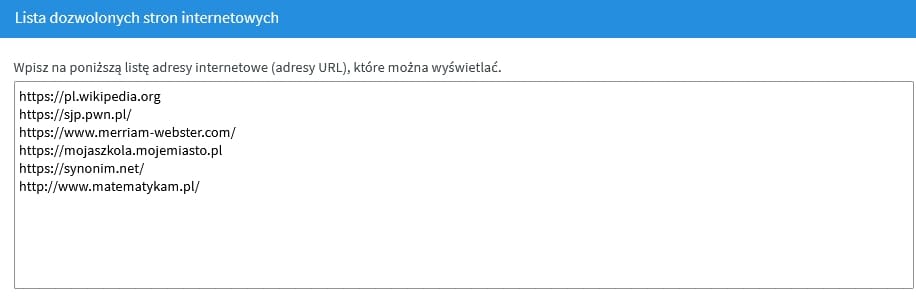 Such a list will also require some work, as it must be completed over time, but after just a few weeks you should be able to create a collection of proven, safe and useful sites that your child should go to as part of his learning and relaxation. Watch out for smartasses! Web browser and websites are not the only threat. Dangerous content can also be downloaded using other programs and network protocols, for example FTP and download managers. In order to seal our protection, it is necessary to ensure that only applications approved by the guardian can run on the network.
 Keeping children safe online is certainly an important idea that requires a lot of attention and time from parents and caregivers. FRITZ Smart Routers!Box can at least relieve some of this work by taking on some of the daily service.
