

VPN router will secure your corporate network - secure remote working
What is a VPN?
VPN. Virtual Private Network) is a technology that uses a public wide area network, such as the Internet, to securely transmit local network data. It allows you to share local resources (drives, printers, etc.) wherever the global network reaches. A VPN therefore allows you to remotely access your home or business network from anywhere, as if you were connected directly to it. In this way, we create a kind of private cloud. Using VPN, you can connect remote network segments (LAN-to-LAN) or allow remote computers to access the network (PC-to-LAN). Establishing connections, negotiating security parameters and traffic between networks is handled by the VPN router. FRITZ routers! support up to 12 simultaneous connections (so-called "tunnels") VPNs.
Secure remote connection
The term "tunnel" illustrates very well how the VPN function is implemented: using a number of mechanisms of the IPSec protocol, which is the basis of the connection, mutual authorization of devices at the ends of the transmission channel is carried out, and strong encryption algorithms separate the transmission inside it from the rest of the Internet, making it impossible for unauthorized persons to eavesdrop on them.
PC-to-LAN connection
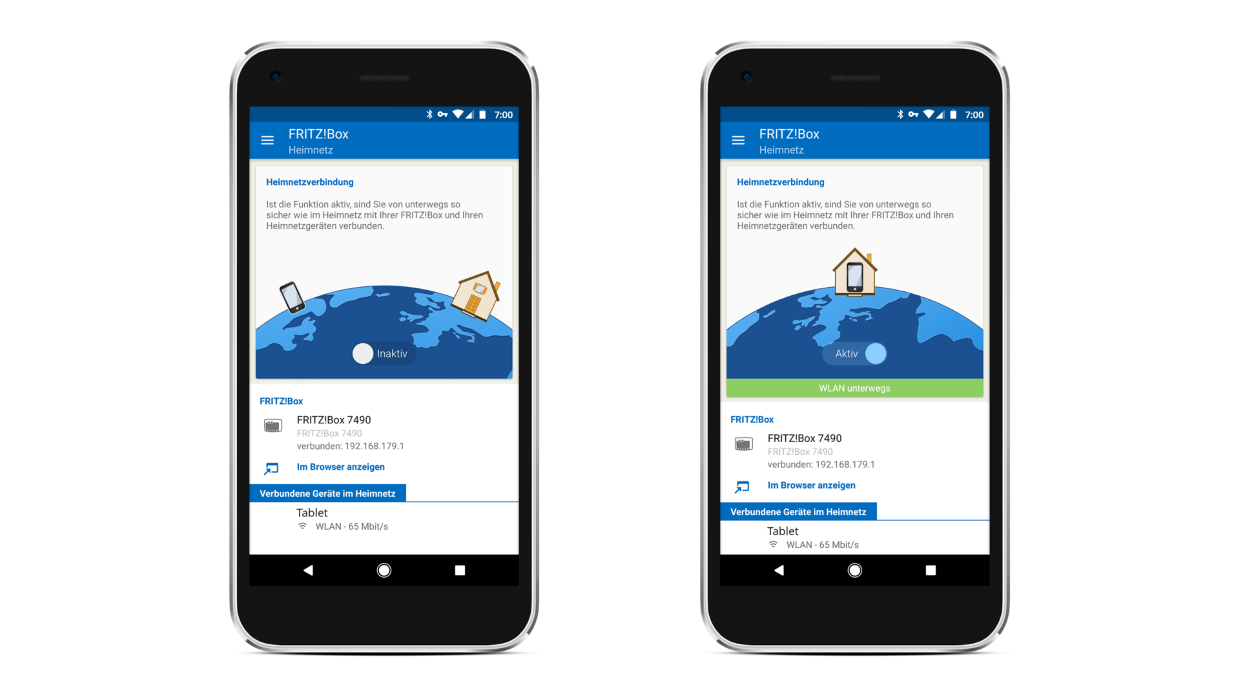
In order to realize such a connection, we must have a configured at the remote location vPN router, e.g. FRITZ!Box 7590, available at an external (routable) IP address, and this address does not have to be permanent - thanks to the MyFRITZ function! even dynamic addresses can be used to establish a connection. Instead, a software VPN client (such as the free FRITZ!VPN, or Shrew Soft VPN Client). With FRITZ Router! you can also connect via VPN from your cell phone on Android and iOS. Once the connection is established, we have access to all the resources of the home or business network: printers, computers, NAS network drives, IP cameras, etc.
LAN-to-LAN connection
This type of VPN connection makes it possible to integrate distant networks (e.g., company branches in different cities, or home networks of extended family scattered around the world) into a single entity. Henceforth, instead of emailing vacation photos, we can simply save them to Grandma's disk so that she can instantly view them on her TV set.LAN-to-LAN connection does not require installation of any additional software on computers. Setting up the connection between the routers to which the networks are connected is handled by mechanisms built into the FRITZ operating system itself!OS. For computers, the remote network is just a segment with a different IP address.
VPN for everyone
Although virtual private networking is an extremely advanced functionality offered in FRITZ routers! as part of the standard palette, using it does not require in-depth knowledge of the ins and outs of the IPSec protocol and encryption algorithms. Configuring both types of connections requires only entering the addresses of both sides of the connection and access passwords - the other parameters are selected automatically. Just make sure that both networks have different local network addresses (DHCP). You can also use a convenient wizard that will guide you through the entire process.
