

Why can't I use my router to connect directly to the fiber?
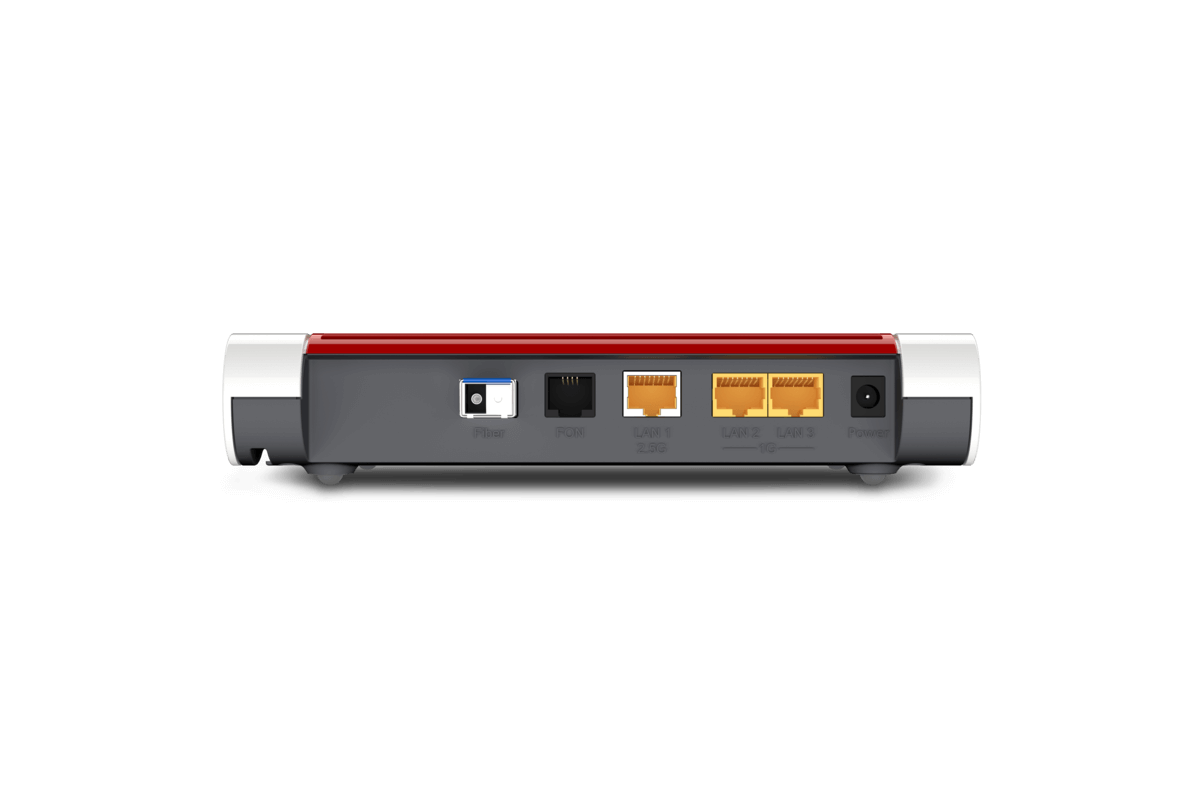
Currently in Poland, it can be challenging or impossible to connect your own independently-purchased, non-operator-provided router directly to a fiber-optic connection. The reasons for this situation can be divided into two main groups: technical and formal-legal issues. In this material we will try to briefly discuss them.
Do you need a new router?
Currently held by users wiFi routers, adapted to work on DSL, WAN, or cable connections, most likely (that is, unless they already have an additional appropriate socket) will not allow direct plugging in of an optical link to them. Fiber optic router is a device that has a built-in port for connecting a fiber optic cable, often in the form of a removable SFP module (separately for the passive version of GPON and active version AON of the link). We describe this issue in more detail in this post.
Technical parameters of the connection
In some cases, in fact most of them, just plugging your own modem into the link properly is not enough, as you still need to specify certain connection parameters. In the case of integrated carrier networks, the devices on the PBX side (OLT) and on the subscriber side (ONT) come from the same manufacturer (e.g. Dasan, or Huawei) and use their own authorization and pre-configuration mechanisms.If we would like to "swap" the operator's original modem-router for our own, we would have to provide the required data in the configuration of our device, which is not generally provided by operators.To make matters worse, some carrier equipment manufacturers, such as the aforementioned Huawei, are trying to deliberately prevent other brands of devices from plugging into the network.On the one hand, one can probably understand the policy of operators to limit the possibility of connecting foreign equipment to the network, as this could cause interference in the network, especially branched by splitters to, for example, more apartments in a block of apartments. Such malfunctioning equipment could also cause problems for other neighbors.On the other hand, however, the operator's convenience comes at the price of limiting the customer's freedom to choose a router better suited to their needs, especially for slightly more advanced users who, in addition to watching the Web and TV series, would like to take full advantage of broadband Internet capabilities.
Agreement and regulations
Restrictions, described earlier, imposed by operators may be reflected in the terms and conditions of use and/or service contract. They often take the form of a categorical ban on connecting terminals directly to the network other than those supplied with the service by the provider.Although the issue may seem difficult at the moment, it is expected that as fiber optic services become more widespread and the number and awareness of users grows, operators will be encouraged to adapt their regulations to the increasingly apparent needs of the market. After all, the same was true of DSL or GSM lines: at the beginning of their provision, users were limited only to the equipment provided by the operators, while today there are no restrictions on subscriber terminals at all.
Fiber optic router - what to look for?
Buying fiber optic router the first and foremost thing to pay attention to is that the built-in fiber modem should be compatible with the link you have (GPON / AON), or, similarly to FRITZ!Box 5530 Fiber, whether to FRITZ!Box 5590 Fiber, had interchangeable SFP modules for each standard.In addition, it is necessary to ensure that the device has a reserve of computing power, since modern fiber-optic Internet speeds reach up to 1 Gbit/s, and with such an amount of data not every router from, say, 5 years ago can cope without causing frustration in its users, disappointed that on the computer they cannot get the speed they pay their operator for (the issue of speed measurement is discussed in detail in the this post). As a sine qua non, the router should have a gigabit switch for the internal network and support for Wi-Fi 5, or preferably Wi-Fi 6.
The most common damage to fiber optic cable?
Optical links are basically insensitive to electrical interference, crosstalk from adjacent cables, electromagnetic pulses, etc., since their essential building blocks are microscopic glass fibers, they can easily be physically damaged by improper handling. First of all, the fiberglass can be broken or crushed by excessive bending. Fiber optic cable must not be forcibly bent - if it does not want to deform further on its own, do not force it. You also need to treat plugs and sockets very carefully, protecting them from contamination. Do not touch the working surfaces of the ferrule with your fingers, plug the disconnected plugs and sockets with plugs so that they do not become dusty, as any dust particle can deteriorate the quality of transmission or damage the connector. Smooth, sanded ferrule contact surfaces should be clean. So do not touch them with your finger, expose them to dust, or otherwise get them dirty. Ideally, non-working plugs and sockets should remain permanently plugged at their ends with special plugs. Fiber optic cables should be laid carefully, not squeezed with clamps, protected from trampling, bumping and not exposed to breakage, for example, on the edge of a table or other furniture.
