

Wi-Fi hotspot for cafes and restaurants
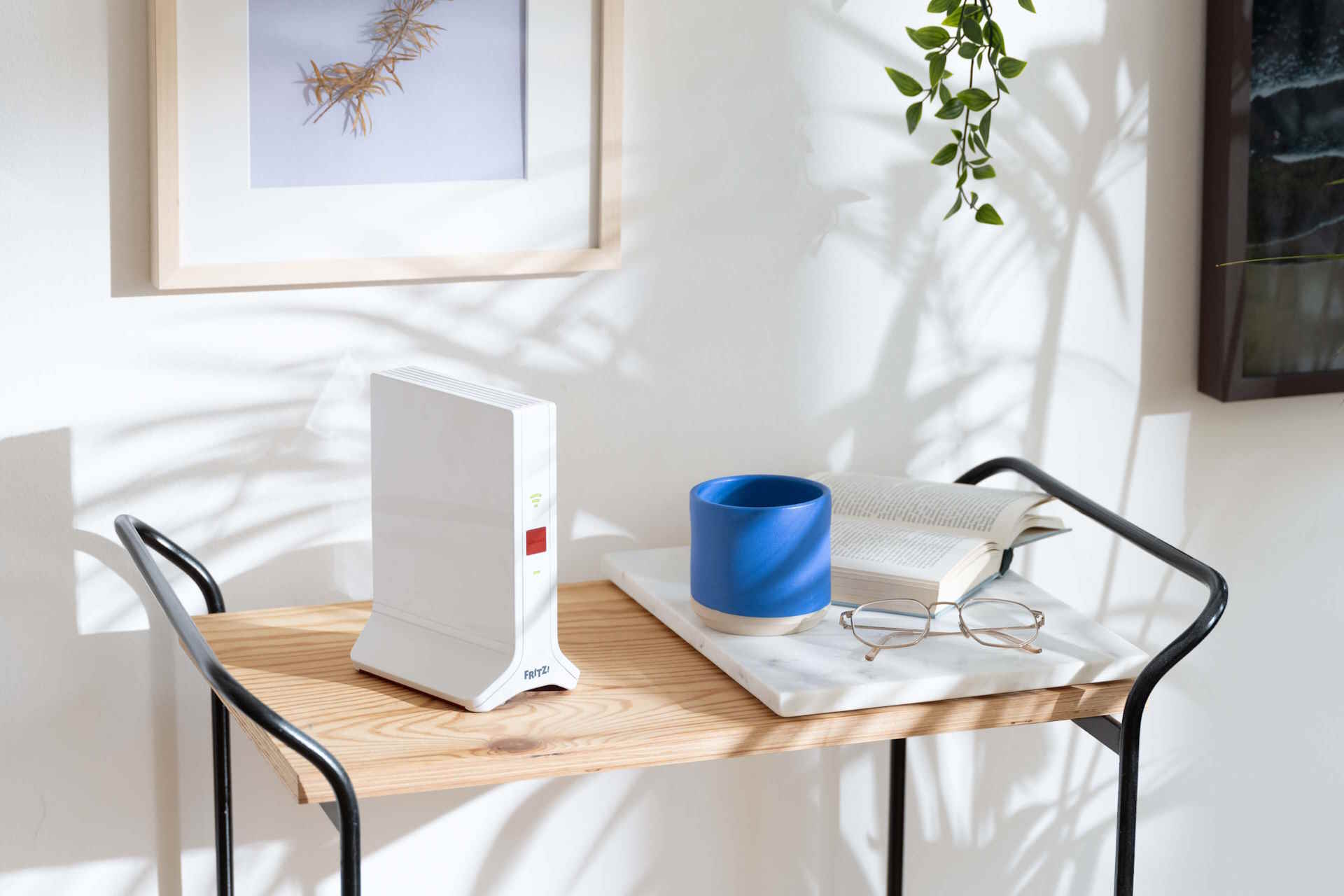
Although everyone has Internet access via LTE/5G on their phones, limited data packets quickly run out, especially when using video content. Instinctively, we then start looking around to see if there is a WiFi spot in the immediate area that will allow us to connect to the Internet.
What is a hotspot
Hotspot is the usual name for an open access point to the Internet via a wireless network and can be implemented in a number of ways.
A WiFi hotspot can be a separate device or a function of a more complex system, such as a FRITZBox router. There can also be a variety of possible ways to connect: open, to connect to which no password is needed, and requiring the user to authorize it. Internet access can be free, like WiFi in a coffee shop, or paid, as is often the case at airports.
FRITZBox hotspot
The router's built-in hotspot can be a really advanced solution, working in parallel with your home or business network, yet completely independent of it. Implemented by the FRITZBox hotspot is a feature bearing the friendly name of hospitable WiFi network, because it was conceived as a secure way to provide Internet access to our visitors while protecting sensitive data and network functions. Our guests establish a basic connection to the Internet via a hotspot and the router independently provides advanced network services, such as NAS and file sharing between computers only to household members who connect to the home network. This way you can create a router-supported WiFi hotspot and have a separate WiFi in the office for clients or, depending on your business, a free WiFi in a coffee shop or a hotspot in a restaurant.
Implemented by the FRITZBox router hotspot is a very advanced function, offering many possibilities of configuration.
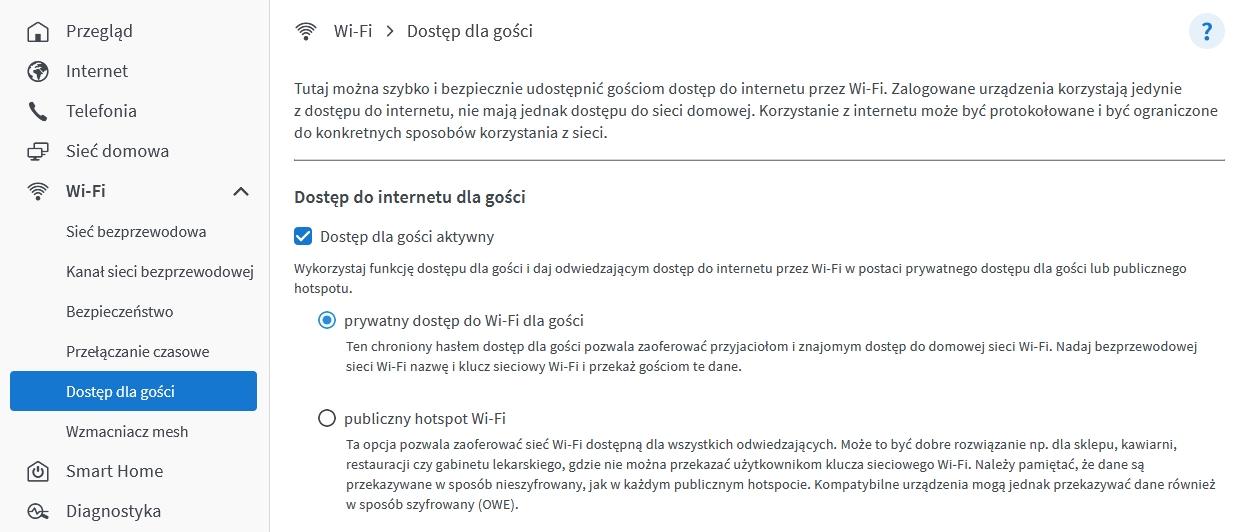
First of all, we can enable this feature and decide on its type: whether we will require a password to connect, or whether our access point will be open to all who want to access it. In both cases, we decide what name (SSID) our network will carry and, in the case of a guest password network, we set the required encryption standard and access key.
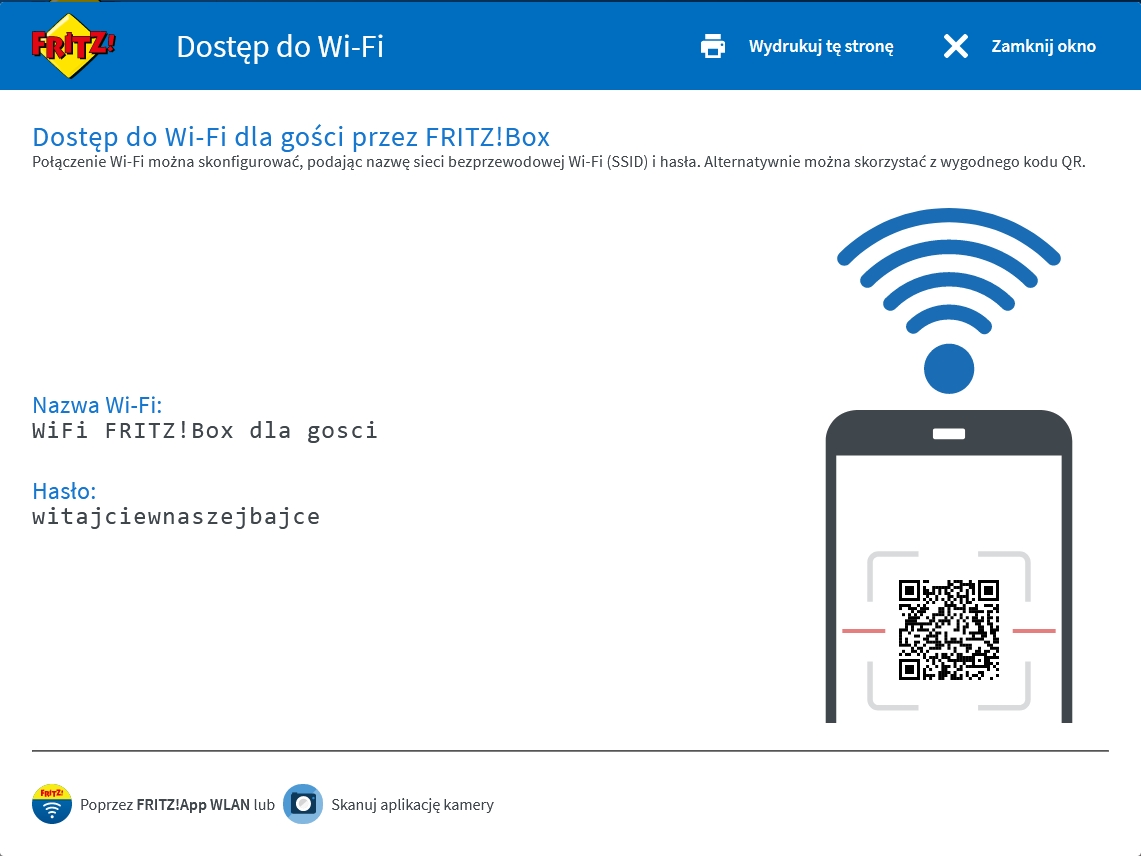
For ease of use, directly from the router's configuration interface, we can generate an information card with a network name and password to enter manually and a QR code for quick connection.
A very interesting feature of the FRITZ hotspot!Box is - known from specialized systems, e.g., at airports or hotels - the possibility of displaying after logging in the text of a greeting and/or the rules of Internet use, and possibly forcing acceptance of the presented rules.
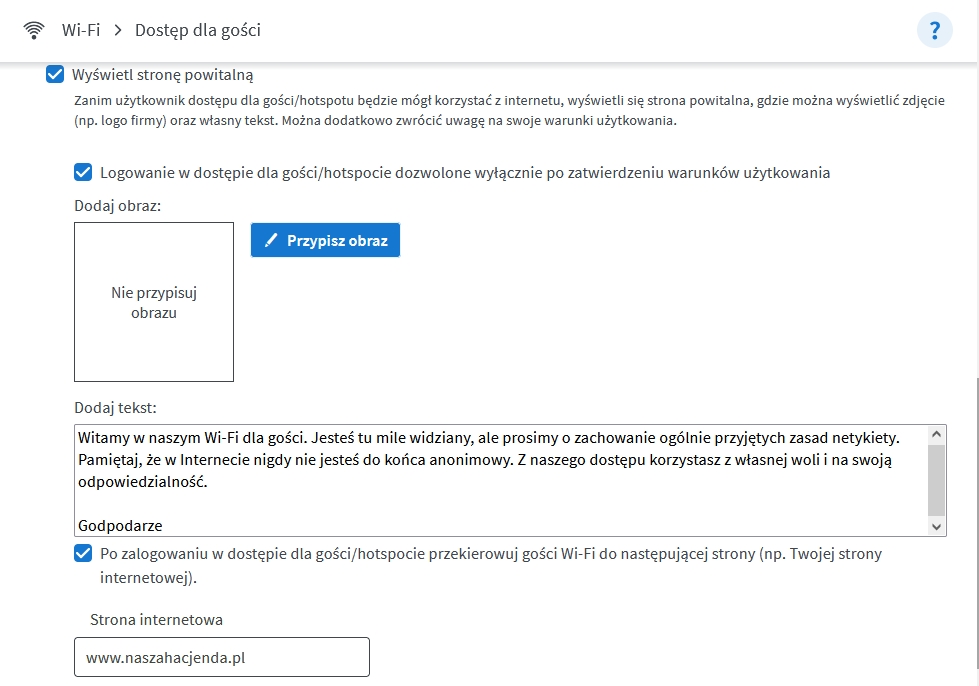
Once we have successfully connected to the Internet, we can invite our guests to start surfing from the Web site we have indicated.
It doesn't stop there. In order to keep ourselves and our guests as safe as possible, we can decide whether the devices connected to the publicly accessible network will only have access to the Internet, or also contact between each other.
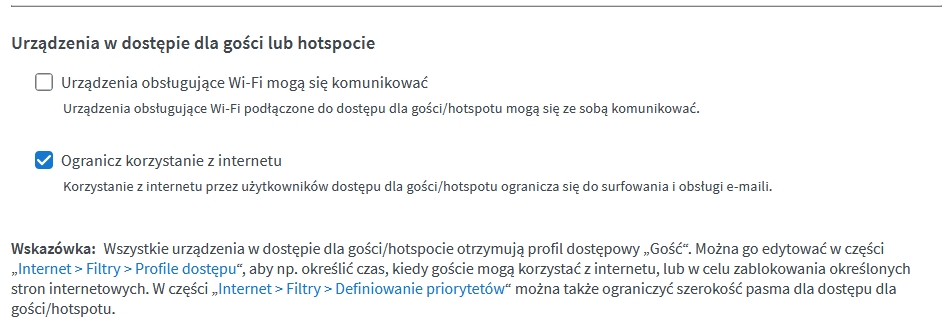
We can also decide whether our guests will have access to all Internet functions or, in order to limit potential pranks, we will limit the functionality of access to the most necessary applications, i.e. web browsing and e-mail handling.Using the advanced features of the router's built-in firewall, we can precisely determine the degree of our hospitality, such as limiting the time we use the network, blocking certain Internet services, and even limiting the speed of the connection.
Public WiFi security
Public WiFi should always be treated with great reserve and caution, especially if the access is completely open (no password required), because then the transmitted data is not encrypted (the exception here would be the still rare support of OWE - Opportunistic Wireless Encryption). The security offered by public WiFi increases significantly if the network uses a password. When accessing the Internet over public WiFi networks, always remember to enable the appropriate firewall antivirus features on your device.
